
AADE Special Codes: Enabling VAT Number Lookup Through Taxis
To pull customer details from the AADE registry you need a pair of special codes. Here is how to register for the service, issue your access code and user password, enter them in Wrapp, and what to do when you have lost them.
When you issue a document, looking a customer up by VAT number fills in their name, address and tax office automatically. Out of the box that lookup runs against VIES, the EU database, which does not hold every Greek VAT number. For full coverage you connect to the AADE registry instead.
That takes some preparation on the AADE side, because the service does not accept your TAXISnet credentials directly. You register once with them, then issue a separate pair of credentials. Those are what you enter in Wrapp.
Step 1: Register for the AADE service
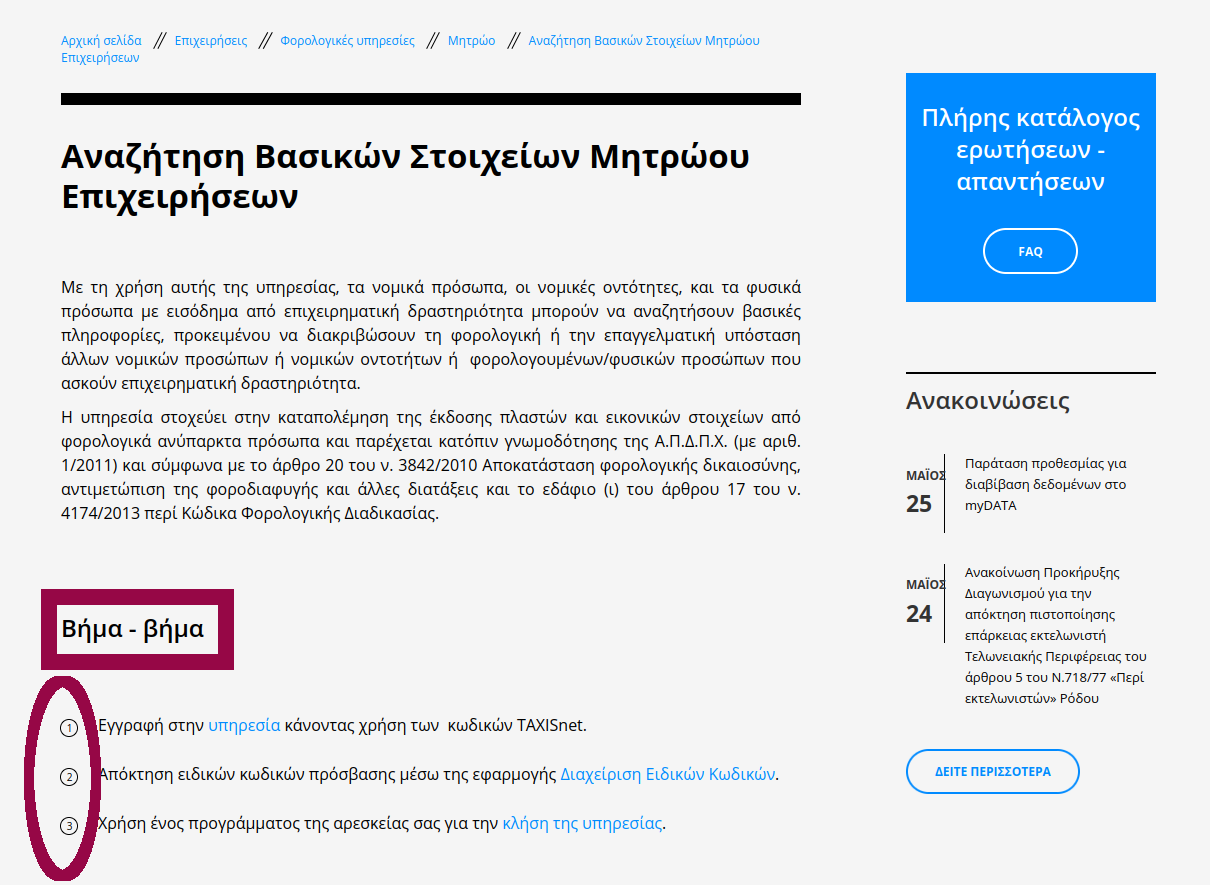
You need access to the «Αναζήτηση Βασικών Στοιχείων Μητρώου Επιχειρήσεων» service, the Business Registry Basic Data Search. Start from the service page on the AADE site and follow Step 1, registration, using your TAXISnet credentials.
Step 2: Issue the special codes
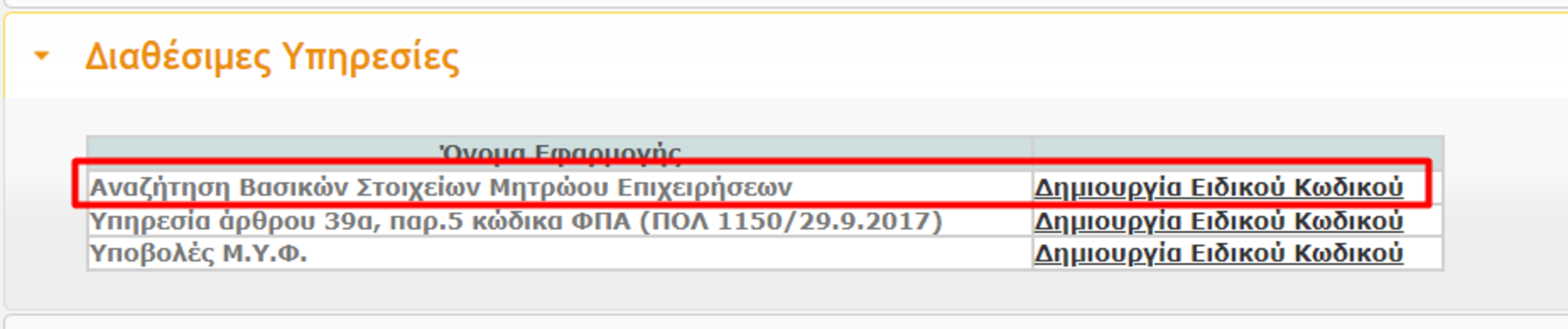
Step 2 is where you issue the special codes. You will be asked to set two things: an access code (Κωδικός εισόδου) and a user password (Συνθηματικό χρήστη).
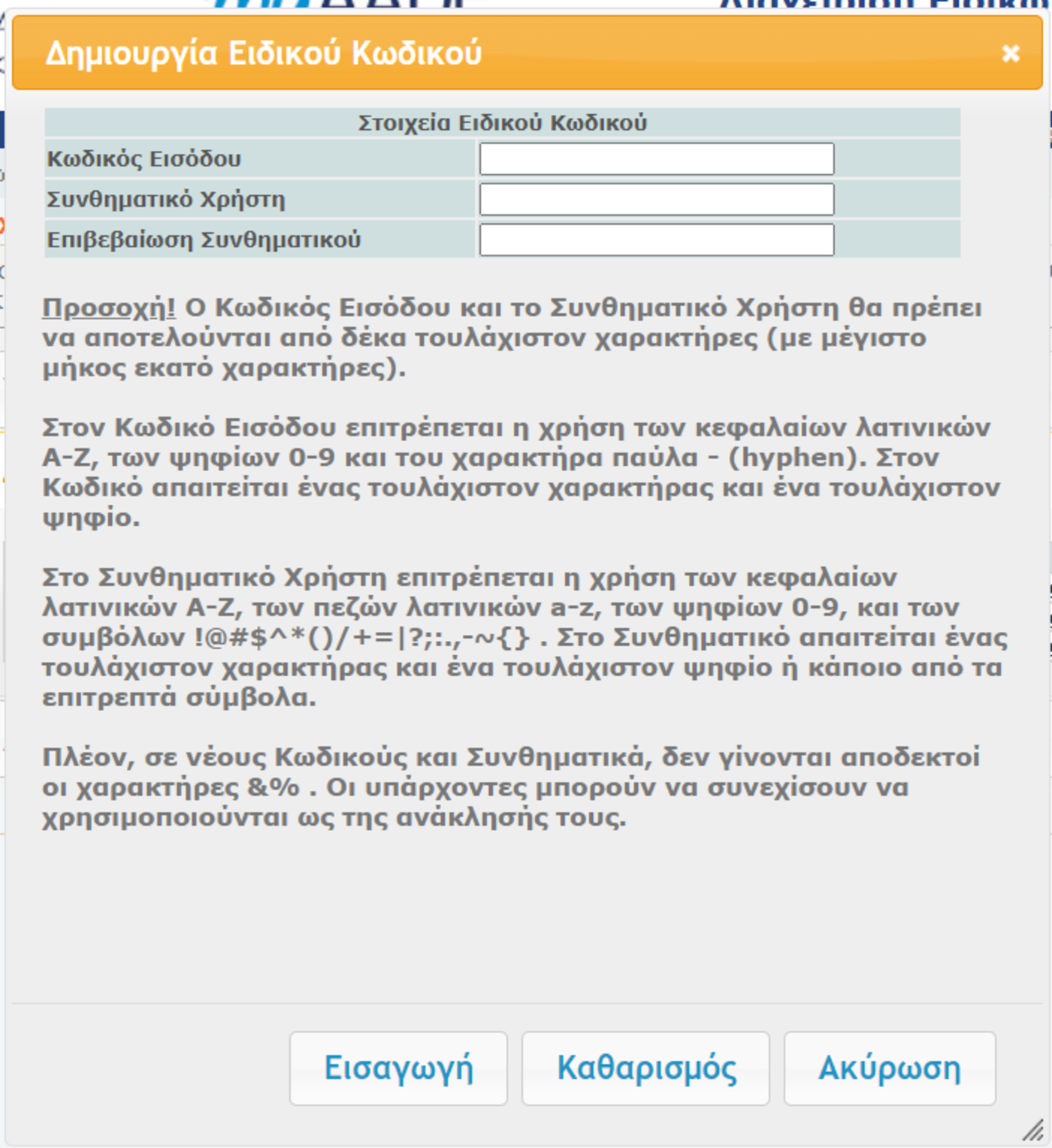
Save both somewhere safe before you go any further. Pay attention to the rules shown on screen for the username and password.
The user password is never shown again in the special codes table. If you forget it there is no way to look it up: you will have to revoke the code and issue a new one.
Step 3: Enter the codes in Wrapp
Go to Settings → Integrations → Taxis and enter the codes you just issued.
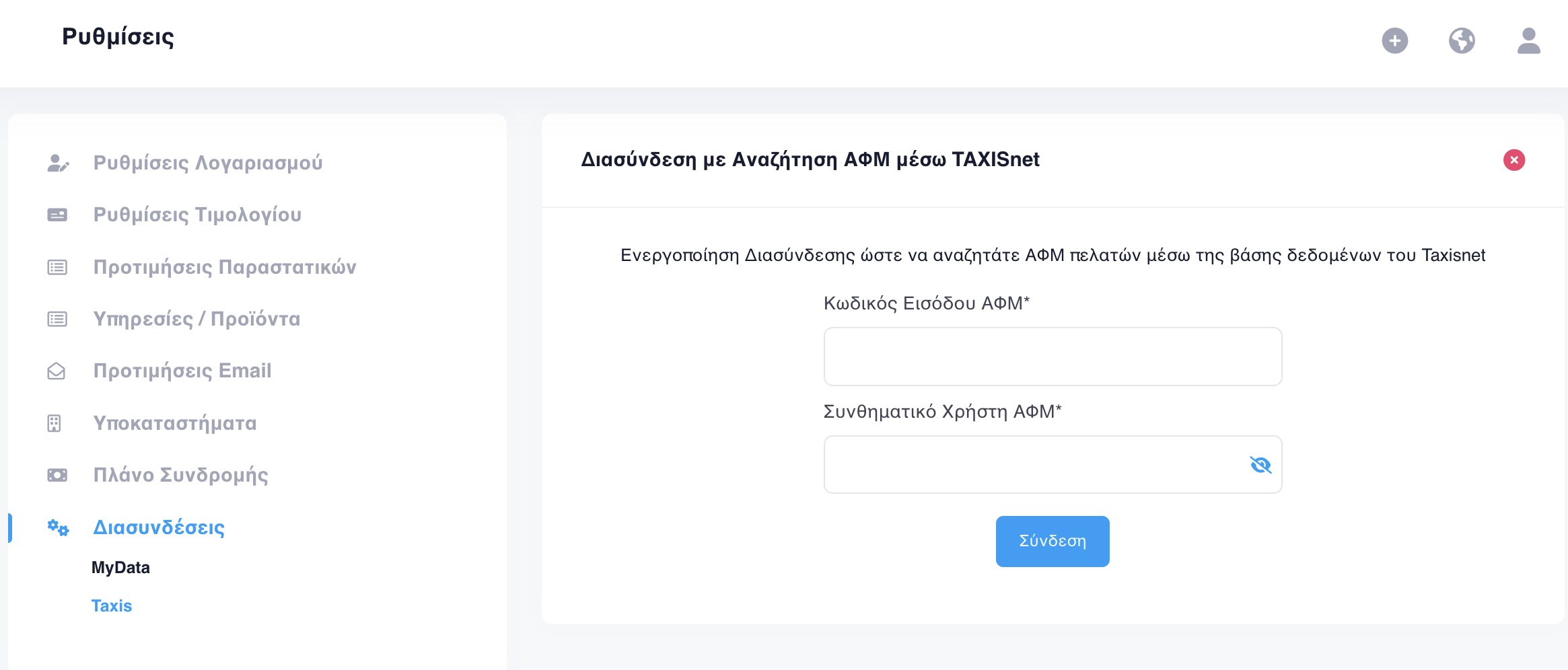
- Κωδικός εισόδου ΑΦΜ: copy and paste the access code from the TAXISnet table.
- Συνθηματικό Χρήστη: the password you set when issuing the codes.
From then on every customer lookup by VAT number pulls straight from the AADE registry and the fields fill themselves in. The steps inside the app are also covered in the guide to customer VAT number lookup.
If you have lost the codes: revoke and reissue
The special code may well have been created some time ago by you or your accountant, and forgotten since. In that case it has to be revoked. You will find it under «Υφιστάμενοι Ειδικοί Κωδικοί» (existing special codes), via «Ανάκληση Ειδικού Κωδικού».
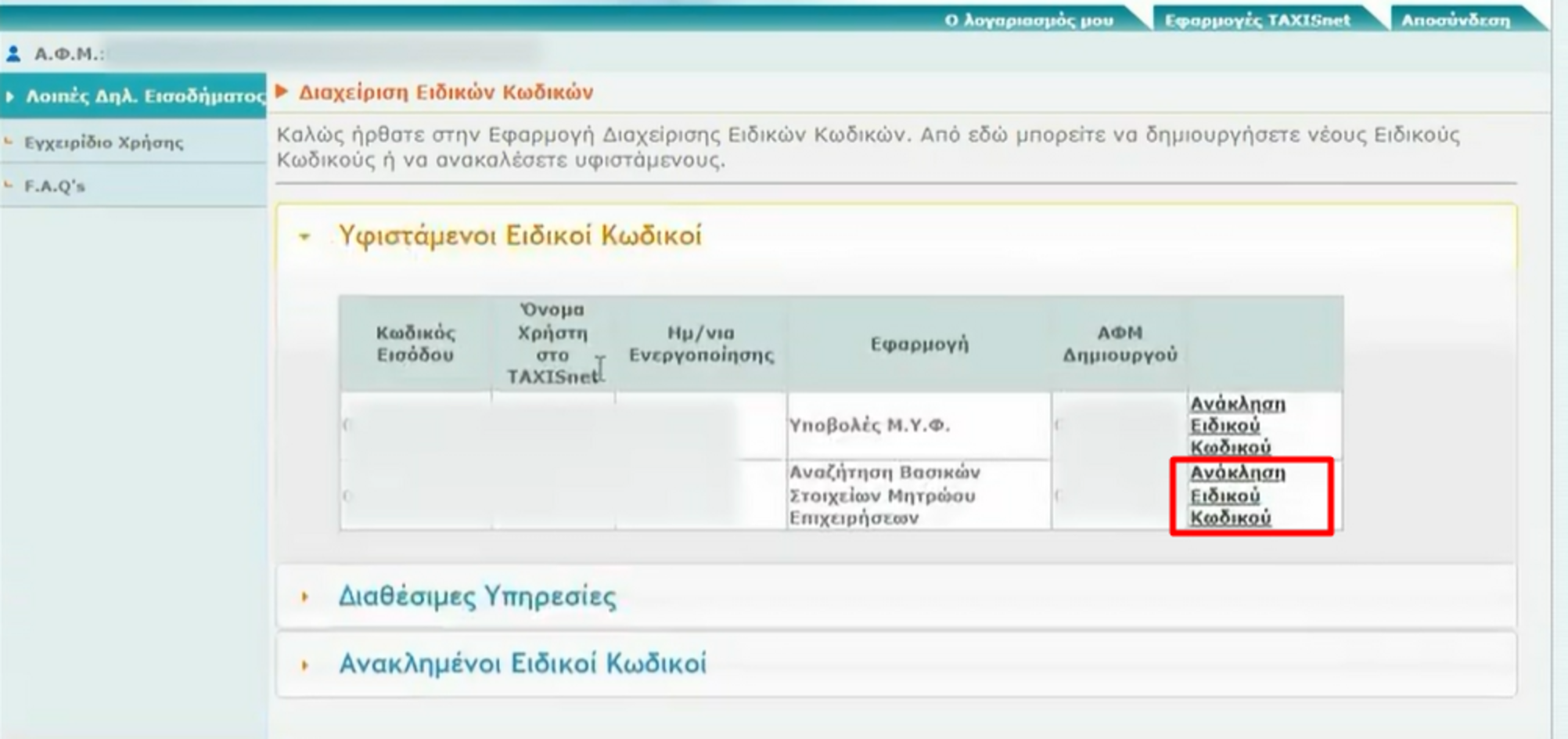
If «Ανάκληση Ειδικού Κωδικού» is not available, the VAT number belongs to a legal entity. The revocation then has to be done by one of the entity registered representatives.
After revocation the service reappears under «Διαθέσιμες Υπηρεσίες» (available services) and you can issue a new special code by following the steps above again.
With customer details filled in correctly from the start, the document you issue reaches myDATA clean, with no typing errors to correct after the fact.
Frequently asked questions
Why do I need special codes for VAT number lookup?
The AADE «Business Registry Basic Data Search» service does not use your TAXISnet credentials directly. You register once with them, then issue a separate pair of credentials, an access code and a user password, and those are what you enter in the application.
Where do I enter the codes in Wrapp?
Under Settings, then Integrations, then Taxis. Put the access code from the TAXISnet table into the «Κωδικός εισόδου ΑΦΜ» field and the password you chose during issuing into the «Συνθηματικό Χρήστη» field.
I forgot the user password. Can I look it up?
No. The user password is not shown again in the special codes table after it is issued. If you have lost it, the only route is to revoke the special code and issue a new one.
The «Revoke Special Code» option is not showing. What does that mean?
It means the VAT number belongs to a legal entity. In that case the revocation has to be done by one of the entity registered representatives, not by you as a user.
What do I gain from Taxis lookup over VIES?
Full coverage of Greek VAT numbers. Out of the box, lookup runs against VIES, the EU database, which does not hold every Greek VAT number. For intra-community VAT numbers from other member states, lookup continues to run through VIES.
Need help?
If you have a question about this topic or want to make sure everything is set up correctly, contact us and we will look at it together.